
Best AI Tools for Content Creators in 2026
I still remember the first time I tried to build a YouTube channel on a shoestring budget. I had a decent camera, a mediocre mic, and absolutely no money for Premiere Pro or a design subscription. Every “free trial” I found had a watermark waiting to ruin my export, or a paywall hiding the one feature I actually needed. It took months of trial and error — and a lot of wasted afternoons — before I figured out which content creator tools were genuinely free and which ones were just free-ish bait.
That’s exactly why I put this guide together. If you’re a tech enthusiast tinkering with your first channel, a graduate trying to build a personal brand, a student experimenting on the side, or a small business owner who can’t justify a five-tool subscription stack, this list is for you. I’ve organized it by workflow stage — video, graphics, writing, audio, and social management — so you can pick what you need without drowning in 25 tabs.

Why the Right AI Tools Actually Matter
Here’s the thing nobody tells you when you’re starting out: the tool matters less than the workflow. I’ve seen creators burn hours bouncing between five different apps that don’t talk to each other, when a tighter three-tool stack would’ve done the job in half the time.
The creator economy in 2026 rewards speed and consistency more than raw production value. You don’t need a Hollywood budget — you need a repeatable pipeline. That’s really what this whole list is built around: real, usable free tiers, not just “free trial” gimmicks that expire the moment you get comfortable.
Best AI Video Editing Software and Video Generators
Video is where most creators spend the bulk of their time, so I’m starting here.
CapCut Desktop has genuinely replaced Premiere Pro for a lot of my own short-form work. It’s one of the few video editing apps that lets you export in 1080p, and even 4K, without slapping a watermark on your free-tier output. The script-to-video generator and auto-captioning are shockingly accurate — I’d put the speech-to-text quality close to 95% for English. If you’re making Reels, Shorts, or TikToks, this should be your default YouTube editing software.
Runway is what I reach for when I need cinematic b-roll I can’t film myself — like a moody city skyline shot or an abstract transition. As an AI video generator, its Motion Brush tool lets you control exactly which part of an image moves, which feels like magic the first time you use it. Just budget your credits carefully; the free tier gives you 125 non-renewable credits, so it’s not something you can lean on daily.
Descript flips editing on its head — you literally edit your video by deleting words from a transcript. It sounds gimmicky until you use it for a podcast-to-video project and realize how much time it saves on rough cuts.
For repurposing long-form content, Opus Clip is hard to beat. Feed it a 60-minute podcast and it’ll spit out several short-form clips ranked by a “virality score,” complete with captions already burned in. And if you just need something fast and browser-based, Veed.io covers subtitle generation and quick edits without needing to install anything.

Best Graphic Design Software and AI Image Generators
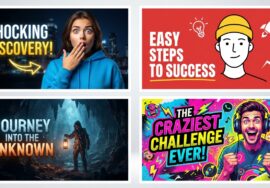
If video is the body of your content, thumbnails and graphics are the handshake — they’re what get someone to click in the first place.
Canva Magic Studio is still the most beginner-friendly graphic design tool out there. Its Magic Eraser and Magic Grab features make separating a subject from a background almost instant, which is huge for thumbnail makers who don’t want to touch Photoshop. I use it constantly for quick banner and layout work.
When I need something more photorealistic — like a custom background for a thumbnail — I turn to Leonardo.ai. It resets 150 credits daily, which is generous enough for regular use as an AI image generator, and the style presets (Cinematic, Photoreal, 3D Render) give you real creative control.
Adobe Express, powered by Firefly, is worth mentioning specifically because of its commercial-safety angle. Since Firefly is trained only on Adobe Stock and public domain content, you don’t have to second-guess whether an AI-generated image is safe to monetize — a real concern with a lot of image generators right now.
For touch-up work, Clipdrop acts almost like an AI photo editor — its Relight feature can add a synthetic studio light source to a flat-looking portrait, which has saved more than one of my thumbnails. And if you like sketching rough ideas and watching them render in real time, Krea.ai‘s real-time canvas is genuinely fun to experiment with.

None of these tools currently include a dedicated logo maker AI in their free tier beyond basic template use, so if branding is your priority, treat Canva and Adobe Express as your starting point rather than a full logo design suite.
Best AI Writing Tools for Scripts and Content
This is the category I probably use the most personally, because a weak script sinks even the best-edited video.
Claude has become my go-to for scriptwriting because it doesn’t sound like a robot. If you’ve ever gotten a script back from an AI tool that opens with “In today’s fast-paced digital landscape,” you know exactly what I mean — Claude tends to avoid those clichés and writes with a more natural pace.
ChatGPT is where I go for ideation — outlining ten possible video angles, or generating title variations based on my past videos. Perplexity AI earns its spot because it cites real sources instead of guessing, which matters a lot if you’re scripting anything research-heavy or fact-based.
For polishing, Grammarly and QuillBot each serve a slightly different purpose — Grammarly for tone and grammar consistency, QuillBot for rewording a clunky sentence you’re stuck on. And if you’re managing an entire content calendar, Notion AI doubles as both your organizational hub and a lightweight AI content writing tools assistant for summarizing notes and pulling action items.
Best AI Voice Generator and Audio Editing Software
Audio quality is the most underrated part of content creation. I learned this the hard way after uploading a video with tinny, echoey audio and watching the retention graph fall off a cliff in the first 15 seconds.
ElevenLabs is the current benchmark for an AI voice generator — the emotional inflection and pacing genuinely sound human, not robotic. It’s fantastic for voiceovers and, thanks to its dubbing feature, translating content into other languages while keeping natural cadence. Just know the free tier caps out around 10,000 characters a month, roughly 10–12 minutes of audio.
Adobe Podcast’s Speech Enhance tool is one I recommend to literally everyone starting out. Record on your phone in an untreated room, run it through this tool, and you’ll get something close to studio-quality sound. It’s one of the best podcast editing software shortcuts available for free.
For transcription, Whisper (or the MacWhisper app if you’re on a Mac) runs locally and is genuinely unlimited and private — no per-minute charges like most transcription software. And if you want original background music without copyright strike anxiety, Suno AI lets you generate royalty-free tracks by describing the vibe you want.

Best Social Media Management Tools for Creators
Once the content is made, distribution is its own job. This is where a lot of solo creators quietly burn out.
Buffer is a solid, no-fuss option for scheduling across platforms — the free tier covers three channels and ten queued posts each, which is enough for most people just starting to batch their posting. VidIQ is more YouTube-specific, giving you keyword and competition data before you even film, which has saved me from chasing topics with zero search volume more than once.
For automation, Make.com and Zapier let you connect your apps together — for example, automatically posting a new YouTube upload to your Discord or X account. And Loom is worth having on hand even if you’re not a “creator” in the traditional sense; it’s great for quick screen-recorded tutorials with auto-generated chapters.
If you’re trying to find out exactly what your audience is searching for, AnswerThePublic organizes real search queries into who/what/where/why/how clusters — useful for content ideation beyond just keywords.
Building Your Own $0 Creator Pipeline
Here’s roughly how I stack these tools together in practice: research with Perplexity and ChatGPT, script with Claude, clean up raw audio with Adobe Podcast, edit and design in CapCut and Canva, then repurpose and distribute with Opus Clip and Buffer. It’s not the only way to do it, but it covers ideation through to publishing without spending a rupee.

A Few Things to Keep in Mind
If you’re monetizing on YouTube, it’s worth knowing that AI-assisted scripts, voiceovers, and edits are allowed under YouTube’s monetization guidelines — but the platform does require disclosure through the “Altered/Synthetic Content” toggle for realistic AI depictions. You can read the full policy directly on YouTube’s Help Center.
On the copyright side, stick to tools with clear commercial-use terms — Adobe Express/Firefly is a safer bet than some competitors since it’s trained on licensed and public domain content. Avoid using trademarked names or celebrity likenesses in your prompts, and always check attribution requirements before using free-tier AI music from tools like Suno.
Final Thoughts
Building a channel or a small brand without a big budget isn’t the disadvantage it used to be. The gap between a well-funded studio and a solo creator with the right free AI tools for content creators is smaller than it’s ever been — it just takes a bit of testing to find the stack that fits your workflow. Start with one tool per category, get comfortable, and expand from there. That’s exactly how I built mine.